> For the complete documentation index, see [llms.txt](https://cover-docs.diffblue.com/llms.txt). Markdown versions of documentation pages are available by appending `.md` to page URLs; this page is available as [Markdown](https://cover-docs.diffblue.com/features/cover-reports/cover-reports-user/navigation.md).
# Navigation
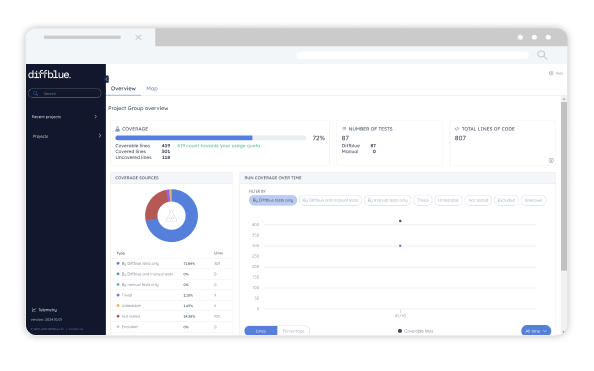
This section provides an overview of how to navigate Cover Reports.
* **Menu:** As you'd expect, your projects are organised and displayed in a standard tree structure and you can navigate through your projects, sub-projects, packages, classes, and methods as needed. The coverage data visible from the dashboards reflects the current selected component.
* **Home:** Simply click the Diffblue logo at any point to return to the root of the navigation tree.
* **Search:** Use the search to find a project, package, or class across all of your projects.
* **Recent Projects:** Use the recent projects list for quick navigation to your recently viewed projects.
{% hint style="info" %}
Your project names are automatically calculated based on the Java project configuration. Report bundles are uploaded to a default `Projects` folder.
{% endhint %}
**Runs:** When viewing a project or project group, the latest run of each of the modules will be aggregated to show the current state across your codebase.
* The `Latest Run` drop-down is only available when navigating down to an individual module level.
* Use the `Latest Run` drop-down to select which data to view.
* Click the Delete icon for a run to delete the individual run and associated data.
{% hint style="info" %}
Run time is based on the latest git commit date of the project. If there is no recognised git commit date, then the time of upload will be used.
{% endhint %}
.png?alt=media)